gFractor
11.2 MB
A powerful and flexible spectrum analyzer for modern audio production.
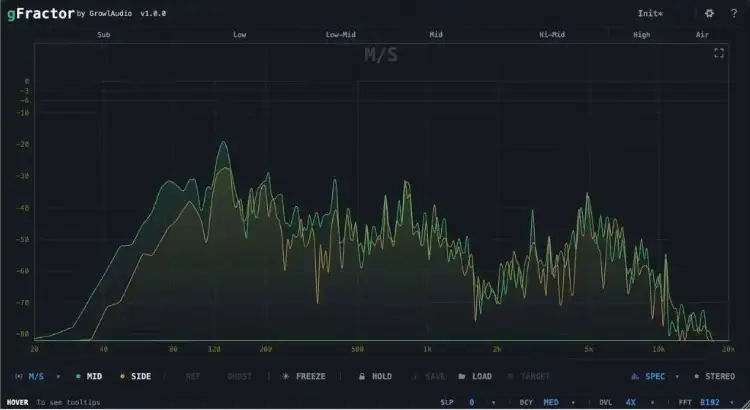
Mid/Side · Left/Right · Transient/Tone
Multiple analysis modes in one view.
Component monitoring
Isolate and track signal components.
Sidechain comparison
Compare main and reference signals.
Goniometer & correlation
Phase and stereo field visualization.
Oscilloscope
Real-time waveform visualization.
Tools that think like musicians
From sound design to mixing and mastering — gFractor gives you precise visual feedback and deep insight into your audio at every stage of the workflow.
Three modes. Every perspective.
Switch between Mid/Side, Left/Right, and Transient/Tone analysis to explore your signal from any angle. Monitor individual components — isolate transients from tonal content, or hear the mid and side channels in complete separation.
Main and sidechain, side by side
Visually compare your main signal against a sidechain reference — instantly revealing spectral relationships between tracks. Swap main and sidechain with a single key press for rapid A/B analysis without breaking your flow.
Your stereo field, fully mapped.
Comprehensive stereo visualization in one place: a goniometer for phase and imaging, a correlation meter for mono compatibility, and stereo width broken down per octave — so you know exactly where your width is coming from and where it isn’t.
Save a target. Match it later.
Capture any Peak Hold curve as a reusable target and save it to a file. Load it back in any session to compare against your current track — perfect for matching tonal balance across mixes or checking a master against a reference.


gFractor.1.0.6 ( 11 MB )

