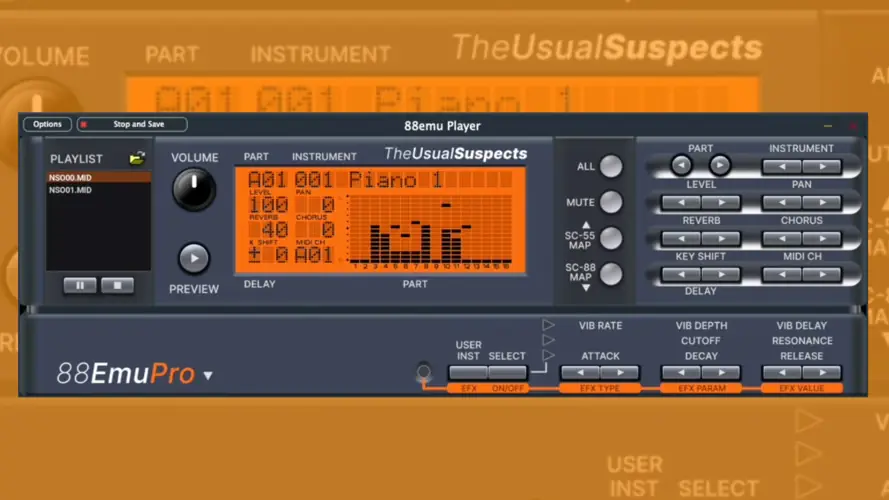
88EmuPlayer
166 MB
88Emu emulates the hardware inside most Sound Canvas modules and related earlier sound generators, used for retro gaming and DTM. It runs the original firmware on emulated CPUs and sound chips, including the firmware’s instrument selection, voice allocation, effects, MIDI handling and front-panel behavior. You supply the ROM images; they are not included.
88EmuPlayer is NOT a DAW-compatible plugin, but instead a standalone application for playing MIDI files and using those devices from a MIDI keyboard, sequencer or game. 88EmuCli uses the same emulation to render files to WAV offline using a command line interface, without having to wait for the song to play in real time.
sage Guide
The zip files you can download contains two executable files/apps:
88EmuPlayer: Double click on this one if you want to use the software to play with a MIDI keyboard, playback MIDI files or use it to play retro video games;
88EmuCli: if you want to quickly convert MIDI files into WAV files, without having to wait for the time of the song to pass in real time. This is a console application, so you probably want to run it from your terminal.
MacOS users: macOS quarantines programs downloaded from the internet and can refuse to open 88EmuPlayer or 88EmuCli the first time, saying it could not verify them. Open System Settings → Privacy & Security, scroll down to Security, click Open Anyway next to the message about the program, and confirm. This is needed once per program; for 88EmuCli, run it once in Terminal first so that the message appears. On macOS 14 and earlier, Control-clicking the app in Finder and choosing Open also works.
Once you run the application, you can select with device you want to emulate, like the SC-88 or the SC55mkII. Once you click on the device, a dialog will appear helping you correctly installing the necessary ROM files into the emulator.
You can then configure your MIDI inputs and audio outputs in Settings, open/drag MIDI files to be played into the MIDI player area, interact with the hardware buttons to configure the unit.
Usage for Retro-Gaming
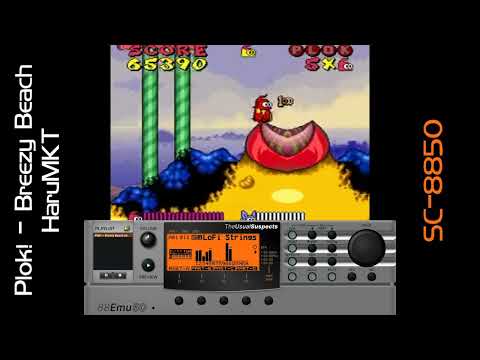
You can use 88EmuPlayer for playing older games that use General MIDI or GS music. Experimental support for MT-32 and CM-64 compatible games is still partial (CM-32P only for now).
To achieve this you will need to route the MIDI output of your game or emulator (such as DOSBox, ScummVM or Neko Project) into 88EmuPlayer. If you are in a MacOS or Linux system, an option is available to create a “Virtual MIDI port”, so that 88EmuPlayer can already show up as available option in the MIDI configuration of your emulator. If you are in a Windows based system, though, you will need to use a 3rd party software for that, such as LoopBe1 or loopmidi.


88EmuPlayer.2.2.25.WIN ( 166 MB )
88EmuPlayer.2.2.25.MAC ( 166 MB )
88EmuPlayer.2.2.25.LINUX ( 166 MB )